
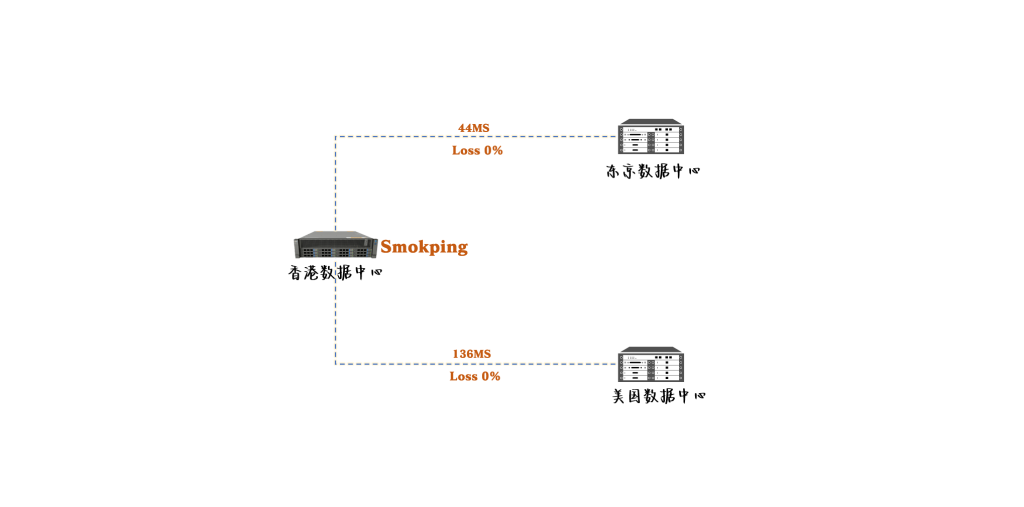
本文基于企业全球骨干网络运维场景,介绍如何使用 Smokeping 构建一套高精度链路质量监控系统。通过优化默…
一、背景需求
目前在我的全球骨干网络中,承载着非常多企业业务系统,对链路稳定性要求较高。在实际运行过程中,海外段骨干网络出现延迟升高和丢包的情况是比较常见的,这类问题通常属于运营商侧的正常波动,但一旦持续时间稍长,就会对上层业务产生明显影响。
因此,我的需求是希望在网络质量发生异常时能够第一时间感知问题,而不是依赖用户反馈或事后排查。
重点关注的指标非常明确:
- 延迟(Latency)是否出现异常升高
- 丢包率(Packet Loss)是否出现或持续增加
由于当前网络为二层物理专线架构,链路路径相对固定,不涉及动态路径选择问题,因此我不关心 MTR 的路径分析的监控。相比之下,更重要的是对链路本身的质量进行持续、稳定、可量化的监测。
基于以上需求,部署一套能够长期记录链路状态的监控机制,实现以下目标:
- 持续观测骨干网络的延迟变化趋势
- 精确统计丢包情况,识别轻微但持续的质量下降
- 在延迟或丢包达到阈值时及时告警
- 在问题发生后可以回溯历史数据,判断问题的持续时间和影响范围
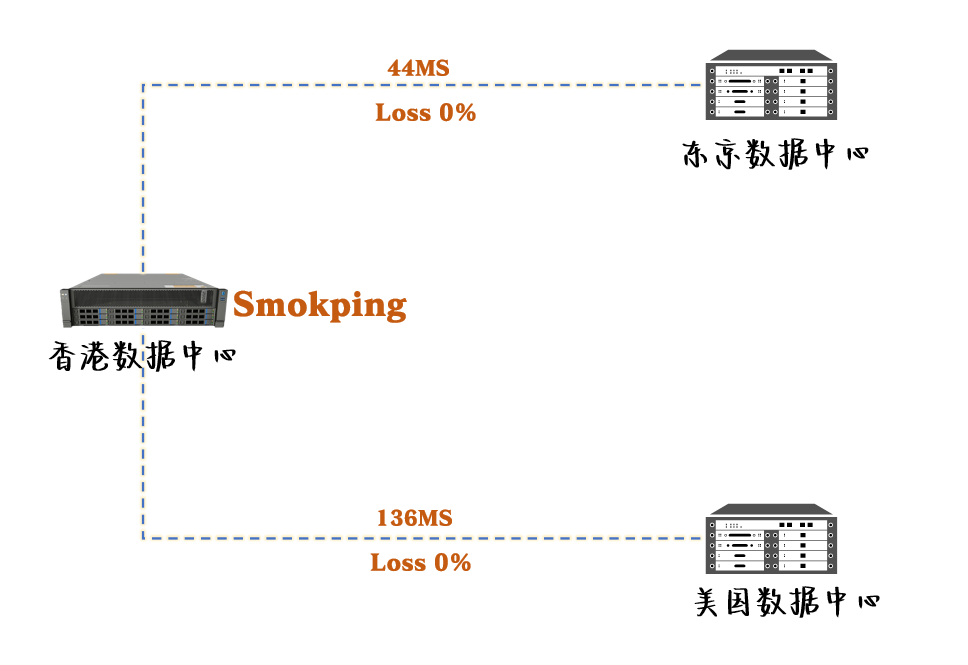
二、安装Smokeping
这里选用 Smokeping 作为工具,这个工具是目前最符合我需求的软件。
系统使用Ubuntu24的版本。
2.1 安装Smokeping
sudo apt update
timedatectl
sudo timedatectl set-timezone Asia/Shanghai
sudo apt install smokeping apache2 fping -y
安装过程会要求填写服务器名字,这个按自己方式进行填写即可。
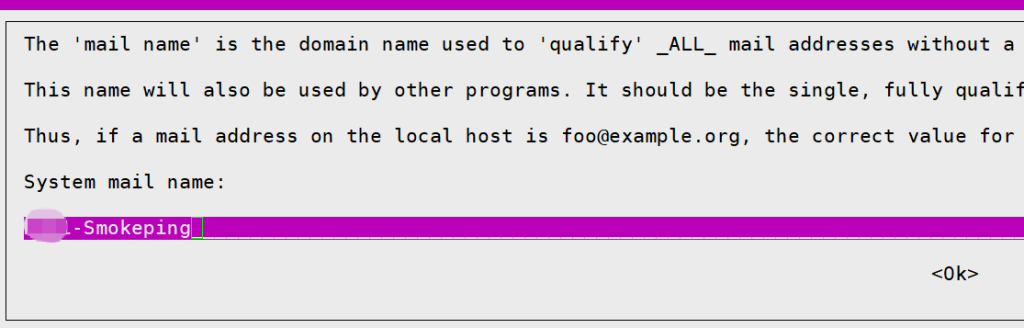
安装完成:

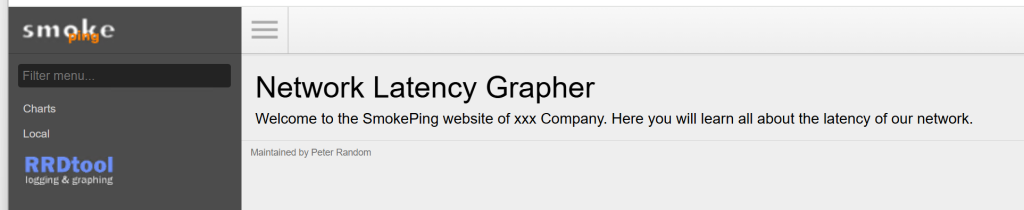
2.2 登录Smokeping
安装完成后可以直接登录,登录方式:
三、配置Smokeping
3.1 更改检测频率
Smokeping 默认的检测配置为:每 300 秒进行一次检测,每次检测发送 20 个探测包。
默认频率对于需要实时观察骨干网络质量的场景来说,采样间隔太长,不能及时反映延迟和丢包的变化。
这里将检测频率调整为:每 6 秒执行一次探测,每次发送 3 个探测包。
Smokeping 的采样参数位于数据库配置文件中:
nano /etc/smokeping/config.d/Databaseroot@pek1-smokeping:/etc/smokeping/config.d# cat Database
*** Database ***
step = 3
pings = 3
# consfn mrhb steps total
AVERAGE 0.5 1 432000
MIN 0.5 1 432000
MAX 0.5 1 432000
AVERAGE 0.5 12 432000
MIN 0.5 12 432000
MAX 0.5 12 432000
AVERAGE 0.5 144 365000
MAX 0.5 144 365000
MIN 0.5 144 365000配置发包参数,需要保证能在一个周期内收到所以数据包的响应如下:(0.03*3*10个目标+0.8=1.7小于3秒一个周期)
注意这个mininterval,意思是每个包到所以IP都要0.05,不是并发到所有IP,是一个个目标IP轮着发。
root@pek1-smokeping:/etc/smokeping/config.d# cat Probes
*** Probes ***

+ FPing

binary = /usr/bin/fping

# 单个包超时时间(单位:秒),设为 0.8 秒
timeout = 0.8
# 每个包之间的最小发包间隔(单位:秒),防止发包堆叠
mininterval = 0.03
3.2 配置骨干监控
配置对骨干网络关键 IP 的持续监控,并设置基础告警策略:监控地址丢包大于30%告警,延时大于30ms告警。
为了便于管理,新增一个Targets文件,并在/etc/smokeping/config中进行引用,新增配置文件:
nano /etc/smokeping/config.d/Gugan-1.Targets+ GuGan
menu = Gugan Backbone
title = Gugan Backbone Monitoring
++ SHA1-HND1_15_5_2_5
menu = SHA1-HND1:15.5.2.5
title = SHA-HND1:15.5.2.5
host = 15.5.2.5
alerts = conloss3,loss3in5_1,loss3in5_2,loss3in5_3,loss3in5_4,loss3in5_5,loss3in5_6,loss3in5_7,loss3in5_8,loss3in5_9在/etc/smokeping/config配置中增加Gugan-1.Targets:
nano /etc/smokeping/config@include /etc/smokeping/config.d/Gugan-1.Targets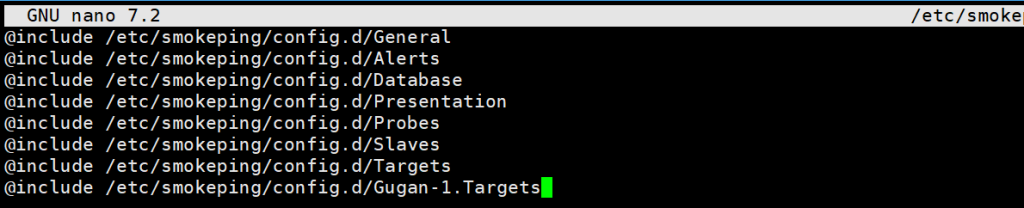
3.3 添加告警规则
Smokeping 默认提供的告警规则主要用于检测轻微丢包(例如多次出现少量丢包即触发告警),这种策略在当前场景下不适用,容易产生误报,不符合对骨干网络质量的判断需求。
本次配置中,告警策略按实际需求重新定义:
- 延迟:根据不同骨干线路设置不同延时的告警阈值
- 丢包:统一采用丢包率超过 30%,且连续出现 3 次才触发告警
这样可以避免因偶发抖动或少量丢包导致误告警,同时能够在链路质量持续异常时及时发现问题。
告警规则在以下配置文件中定义:
nano /etc/smokeping/config.d/Alerts*** Alerts ***
to = wangxiang@clnnn.com
from = web@clnnn.com
+ conloss3
type = matcher
pattern = CheckLoss(l=>20, x=>3)
comment = 连续 3 个周期丢包率超过 20%
edgetrigger = yes
# 2. 5 次内非连续丢包的组合拆分(覆写为多个子规则)
+ loss3in5_1
type = loss
pattern = >20%,>20%,*1*,>20%
comment = 5周期内丢包组合1
edgetrigger = yes
+ loss3in5_2
type = loss
pattern = >20%,>20%,*2*,>20%
comment = 5周期内丢包组合2
edgetrigger = yes
+ loss3in5_3
type = loss
pattern = >20%,*1*,>20%,>20%
comment = 5周期内丢包组合3
edgetrigger = yes
+ loss3in5_4
type = loss
pattern = >20%,*1*,>20%,*1*,>20%
comment = 5周期内丢包组合4
edgetrigger = yes
+ loss3in5_5
type = loss
pattern = >20%,*2*,>20%,>20%
comment = 5周期内丢包组合5
edgetrigger = yes
+ loss3in5_6
type = loss
pattern = *1*,>20%,>20%,>20%
comment = 5周期内丢包组合6
edgetrigger = yes
+ loss3in5_7
type = loss
pattern = *1*,>20%,>20%,*1*,>20%
comment = 5周期内丢包组合7
edgetrigger = yes
+ loss3in5_8
type = loss
pattern = *1*,>20%,*1*,>20%,>20%
comment = 5周期内丢包组合8
edgetrigger = yes
+ loss3in5_9
type = loss
pattern = *2*,>20%,>20%,>20%
comment = 5周期内丢包组合9
edgetrigger = yes
+someloss
type = loss
# in percent
pattern = >0%,*12*,>0%,*12*,>0%
comment = loss 3 times in a row四、启动Smokeping
修改检测频率(如 step、pings)后,Smokeping 原有的 RRD 数据库参数会与当前配置不一致,此时直接启动服务通常会报错,导致无法正常运行。
在首次启动或调整采样参数后,需要重新初始化 RRD 数据目录。
默认安装之后会启动rrd has 300这时候启动smokeping程序会报错,需要进行如下操作:
sudo systemctl stop smokeping

sudo rm -rf /var/lib/smokeping/*

sudo mkdir -p /var/lib/smokeping/__cgi

sudo mkdir -p /var/lib/smokeping/rrd

sudo chown -R smokeping:smokeping /var/lib/smokeping

sudo systemctl start smokeping

sudo systemctl status smokeping
五、 添加邮箱告警
Smokeping 默认仅支持通过邮件发送告警,因此本方案采用 SMTP 邮件方式实现告警通知。
5.1 安装msmtp
sudo apt update
sudo apt install msmtp msmtp-mta mailutils -y
5.2 配置msmtp
5.2.1 配置文件
#修改配置文件
nano /etc/msmtprc
defaults
auth on
tls on
tls_trust_file /etc/ssl/certs/ca-certificates.crt
account 163
host smtp.qiye.163.com
port 465
from luozi@luoziwangluo.com
user luozi@luoziwangluo.com
password CR@fdajkfji9673 (这个不是邮箱登录密码,这是客户端的授权密码)
tls_starttls off
tls on
account default : 1635.2.2 设置权限(必须)
chmod 640 /etc/msmtprc
chown root:smokeping /etc/msmtprc
5.2.3 确认 sendmail 指向 msmtp
ls -l /usr/sbin/sendmail若未指向 msmtp,执行:
sudo ln -sf /usr/bin/msmtp /usr/sbin/sendmail5.2.4 测试邮件发送
echo -e "Subject: test\n\nSmokeping test" | sendmail sdwan@luoziwangluo.com5.2.5 异常排错
msmtp -v sdwan@luoziwangluo.com5.3 配置smokeping
nano /etc/smokeping/config.d/Alertsto = luozi@luoziwangluo.com
from = luozi@luoziwangluo.com基于真实环境整理,如需进一步沟通,可通过页面右侧方式与我联系。